

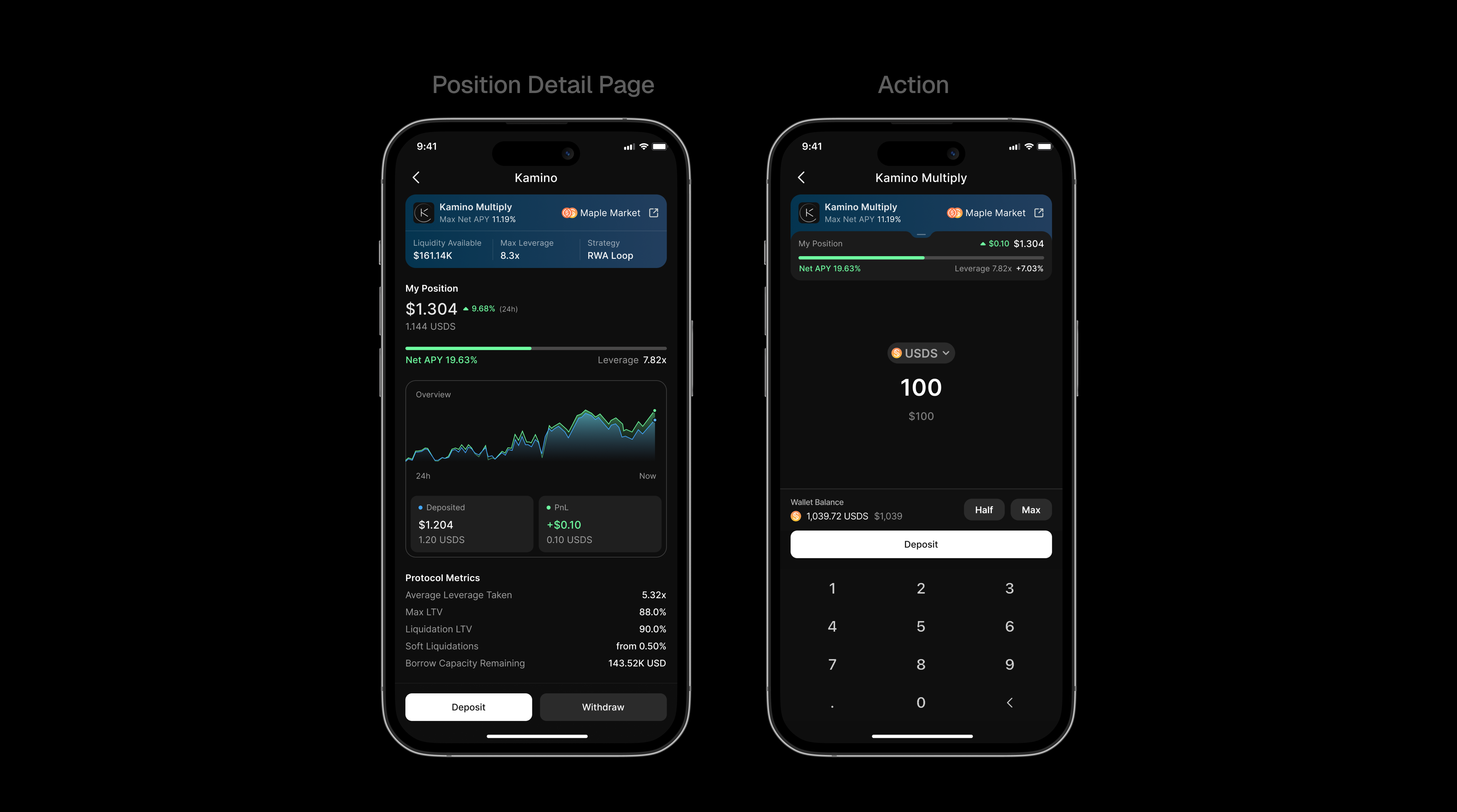
 Loop markets (also known as “Multiply”) allow users to create leveraged positions by repeatedly depositing collateral and borrowing against it in an automated way.
Our Markets API already contains lots of information that you would manually collect via multiple API calls throughout protocols and providers, such as:
Loop markets (also known as “Multiply”) allow users to create leveraged positions by repeatedly depositing collateral and borrowing against it in an automated way.
Our Markets API already contains lots of information that you would manually collect via multiple API calls throughout protocols and providers, such as:
- basic protocol information,
- leverage and APY information,
- token pair information (collateral and debt tokens),
- risk parameters (LTV and liquidation thresholds),
- actions (setup, deposit, withdraw), etc.
How Loop Markets Work
Loop markets automate a looping strategy, which is as follows:1
Choose Leverage & Deposit
The user chooses the desired leverage level and deposits collateral (Token
A) into the market
2
Borrow
The protocol borrows against the deposited collateral (Token B)
3
Swap & Re-deposit
The borrowed amount gets swapped back to Token A and gets re-deposited
4
Repeat
This cycle repeats automatically until the user’s chosen leverage level is
reached
Data Structure
Below is an example of a loop market response from the Markets API. Based on customer demand, we may add more fields to the response in the future. For the latest data structure, please have a look at our Markets API Reference page.Please note that we do our best to design our APIs to be non-breaking. It is
recommended to filter the response and only include the fields / types you
need to ensure it won’t break your application if new fields are added over
time.
Loop Markets Data Structure
Practical Example
In order to better understand how the API works, let’s walk through an example response for the Kamino Multiply lanternSOL/SOL strategy below:API Response for Kamino Multiply lanternSOL/SOL
Understanding the Response
What you can see here is the original response from the API. As mentioned in the introduction section, this response is powerful enough to drive full-fledged dashboards and applications. Let’s break it down into its components:-
Market Identity:
id: Unique identifier combining protocol, market type, and reserve addressestype: Market category (alwaysloopfor loop markets)provider: Protocol information for branding in your UItokenA: Collateral token (lanternSOL) - the asset you want leveraged exposure totokenB: Debt token (SOL) - the asset being borrowedwebsiteUrl: Direct link to the loop strategy on the protocol’s website
-
APY:
depositApy(19.04%) — Net APY after accounting for leverage and borrowing costs
-
Leverage Parameters:
maxLeverage(7.69x) — Maximum leverage multiplier available for this strategymaxLtv(0.87 or 87%) — Maximum loan-to-value ratio allowed when establishing the leveraged positionliquidationLtv(0.92 or 92%) — LTV threshold at which the position becomes eligible for liquidation
-
Actions: The
actionsobject contains Blink URLs for:setup— Creates a Lookup Table (LUT) required before opening a leveraged position. This is a one-time setup per wallet for each market.deposit— Opens or increases a leveraged position by depositing collateral and executing the looping strategy.withdraw— Reduces or closes a leveraged position by unwinding the loop and returning collateral.
-
Additional Data: The
additionalDataobject contains protocol-specific metadata. In this example, we have the following additional data for Kamino Multiply:marketAddress: The address of the lending marketcollateralReserveAddress: The reserve address for the collateral token (lanternSOL)borrowReserveAddress: The reserve address for the borrow token (SOL)