> ## Documentation Index
> Fetch the complete documentation index at: https://docs.dialect.to/llms.txt
> Use this file to discover all available pages before exploring further.
# Request API Keys
> Get your API keys for Dialect Alerts and start sending notifications to your users in minutes.
 ## How it works
API keys for Alerts are created automatically when you register your app in the Dialect Dashboard. To do so please follow the steps below:
Head to the [Dialect Dashboard](https://dashboard.dialect.to/) and connect
your wallet.
NOTE: If you're having trouble connecting your wallet, try using a VPN and refreshing the page. This is especially common in the UAE.
Click on "Register your Project" and fill out the required fields. [Learn more](/alerts/setup/register-app).
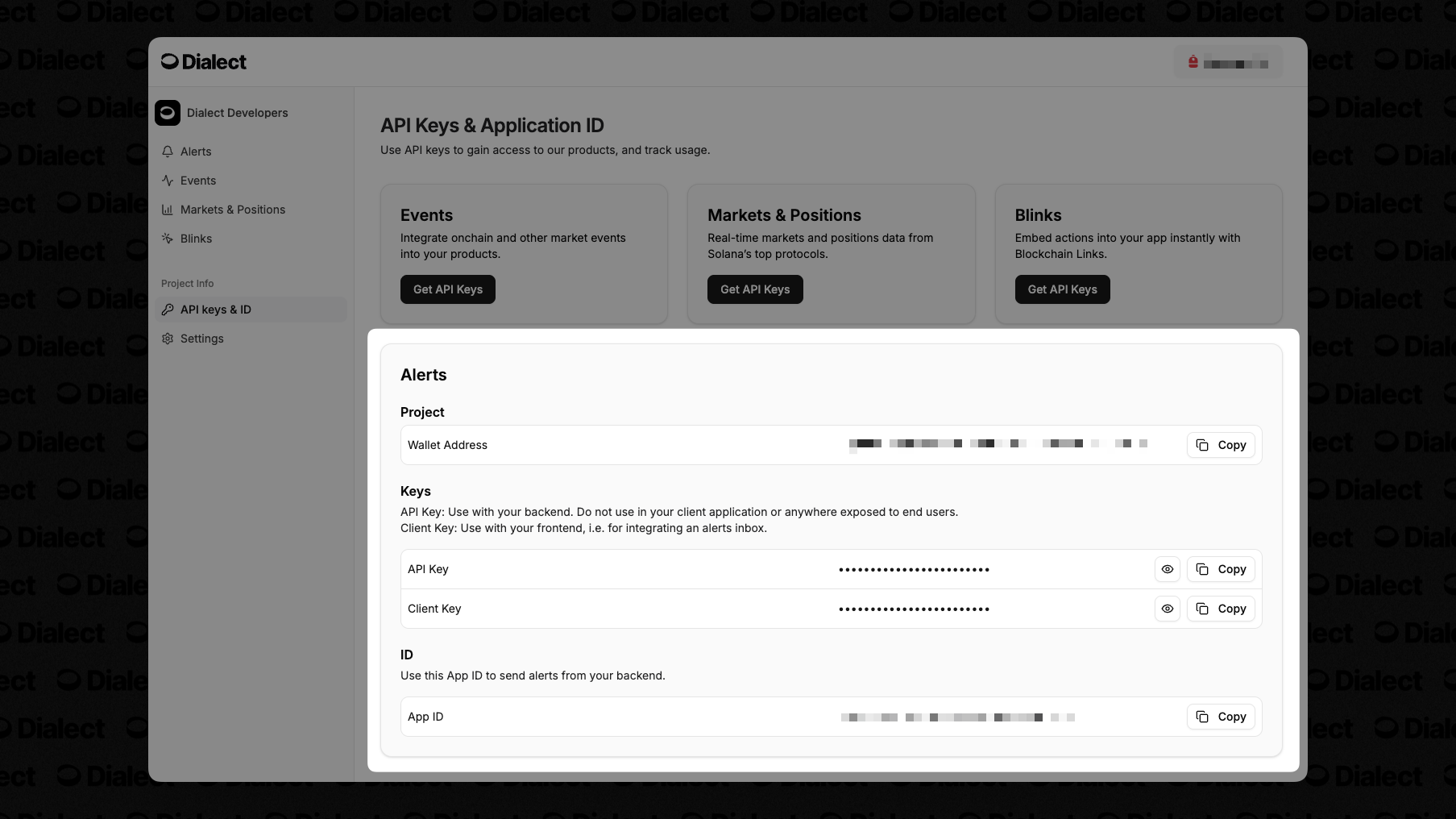
Once registered, they're available in the [API Keys](https://dashboard.dialect.to/api-keys) section of the dashboard. You can't find the keys before registering your project.
For a full walkthrough, see the [Alerts Quick Start](/alerts/quick-start).
## Need Help?
If you have questions about API keys or need assistance, reach out to us at [hello@dialect.to](mailto:hello@dialect.to).
## How it works
API keys for Alerts are created automatically when you register your app in the Dialect Dashboard. To do so please follow the steps below:
Head to the [Dialect Dashboard](https://dashboard.dialect.to/) and connect
your wallet.
NOTE: If you're having trouble connecting your wallet, try using a VPN and refreshing the page. This is especially common in the UAE.
Click on "Register your Project" and fill out the required fields. [Learn more](/alerts/setup/register-app).
Once registered, they're available in the [API Keys](https://dashboard.dialect.to/api-keys) section of the dashboard. You can't find the keys before registering your project.
For a full walkthrough, see the [Alerts Quick Start](/alerts/quick-start).
## Need Help?
If you have questions about API keys or need assistance, reach out to us at [hello@dialect.to](mailto:hello@dialect.to).